Problem
- Client context: Lock & Lock Co., Ltd.
- Requested scope: Responsive Web & App
- Business tags: Manufacturing, Web
This service is available to members only.
#Manufacturing, #Web
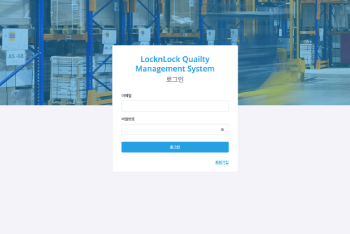
LLQMS (Lock & Lock Quality Management System) is an integrated quality management platform designed to oversee the entire workflow of material inbound/outbound logistics and inspections.
This system transforms Excel-based reference data into a structured database, enabling seamless scheduling of material inflow/outflow, inspection, approval, and result analysis—all within a web interface.
Built with a responsive web design, LLQMS delivers a consistent user experience across PCs, tablets, and various devices. It also supports multilingual operations tailored to each country’s needs.
Conducted a detailed analysis of the quality management process in collaboration with the client.
Identified and addressed issues in the existing legacy system.
Designed responsive UI using HTML, CSS, and JavaScript (jQuery).
Implemented multilingual support and user-centered UX.
Frontend: Handled dynamic events using jQuery, implemented data visualization for Excel inputs.
Backend: Developed core logic with PHP, designed APIs, and implemented file upload and approval functions.
Database: Designed using MariaDB to securely manage master data, inspection results, schedules, and users.
Performed extensive testing across scenarios (calendar UI, access control, multilingual modes).
Carried out optimized deployment and provided ongoing maintenance in a live environment.
Purpose: Visualize inspection and logistics data by country in real time.
Features:
Tabs for each country (Korea, China, Vietnam) for segregated viewing.
Bar, line, and donut charts for visualizing inbound/outbound volume, inspection logs, defect rates, etc.
Dashboard data dynamically linked to uploaded Excel files.
Purpose: Schedule and manage inspections based on inbound data.
Common Features:
Calendar-based UI (month/week/day/list view).
Searchable by container number, item name, and arrival date.
Visual indicators (color changes) reflect inspection schedule status.
Drag-and-drop for easy rescheduling; support for editing/deletion.
Domestic: For materials from local factories.
Imported: For internationally imported goods.
Overseas Inbound: Separate management of containers directly arriving from overseas.
Purpose: Set inspection schedules for materials prior to shipment.
Features:
Search by PO_NO (purchase order number).
View item-specific quantities and expected shipping dates.
Confirm, edit, or delete inspection schedules.
Purpose: Conduct inspections based on confirmed schedules.
Features:
Calendar view with schedule-based status display (planned, in progress, completed).
Input fields for inspector name, results, defect quantity, etc.
Editable after completion to ensure accurate records.
Purpose: Allow managers to approve completed inspections.
Features:
Restricted to users with approval permissions.
List-based UI for quick review and processing.
Change approval status (pending/approved).
Purpose: Register and manage inspection documents per item.
Features:
Upload standards (PDF/images), categorize, and search by name.
Connect each standard to relevant items for automatic linkage during inspection.
Support for editing and deleting.
Purpose: Manage quality-related documents (work specs, quality guides) by item.
Features:
Search by material name.
Upload/delete/preview documents.
Filter by registration date, author, and document type.
Purpose: Manage a list of external partner vendors.
Features:
Register/edit vendor details (name, contact, email, etc.).
Track delivery history and usage records by partner.
Export vendor list to Excel.
Purpose: Handle foundational Excel-based data critical to LLQMS.
Features:
Upload Excel files to reflect new data (material names, specs, units, inspection criteria, etc.).
View and download existing data.
Includes duplicate checks and data validation on upload.
Purpose: Manage data sources for dashboard charts.
Features:
Add data via Excel uploads.
Edit/delete existing entries.
Country-based categorization for efficient management.
Purpose: Define inspection strictness levels by partner and material.
Features:
Set defect tolerance levels (e.g., number of defects, criteria date).
Automatically adjust inspection method based on strictness.
Modify standard values and track logs.
Multilingual Support: Language settings per country (Korean, Chinese, Vietnamese).
Responsive Design: Unified experience across PC, tablet, and mobile.
Excel Integration: Input/view features aligned with existing Excel workflows.
Covered the full development lifecycle: requirement analysis, DB design, UI/UX, frontend & backend development, testing, and deployment.
Designed for multilingual and responsive use from the ground up.
Server Environment: Ubuntu
Backend: PHP, MariaDB
Frontend: HTML5, CSS3, JavaScript, jQuery
Other: Excel data parsing, multilingual processing, calendar UI integration
Through LLQMS, we successfully enabled the digital transformation of Lock & Lock’s material quality management process.
We resolved the inefficiencies of manual data handling and scheduling, significantly improving operational speed and accuracy through real-time inspection scheduling and approval workflows.
Advanced features like customized dashboards and strictness criteria helped systematize the quality control process and strengthened collaboration with partner vendors.